
Consider sound-off viewing
If viewers often encounter the placement with sound off, translated audio alone will not carry the message. Plan readable subtitles or on-screen copy in your publishing workflow. Check the safe area so interface controls do not cover the text.
Decide whether the voice matters
Dubbing can make spoken explanations easier to follow without reading every line. For a talking presenter, voice delivery and lip movement influence how natural the result feels. Review both with the target audience in mind.
Keep text and speech accurate
Subtitles need enough time to read. Dubbed speech needs enough time to sound natural. Either approach can lose meaning if a longer translation is forced into a short moment. Have a fluent reviewer check the intended message and the actual result.
Review the final placement
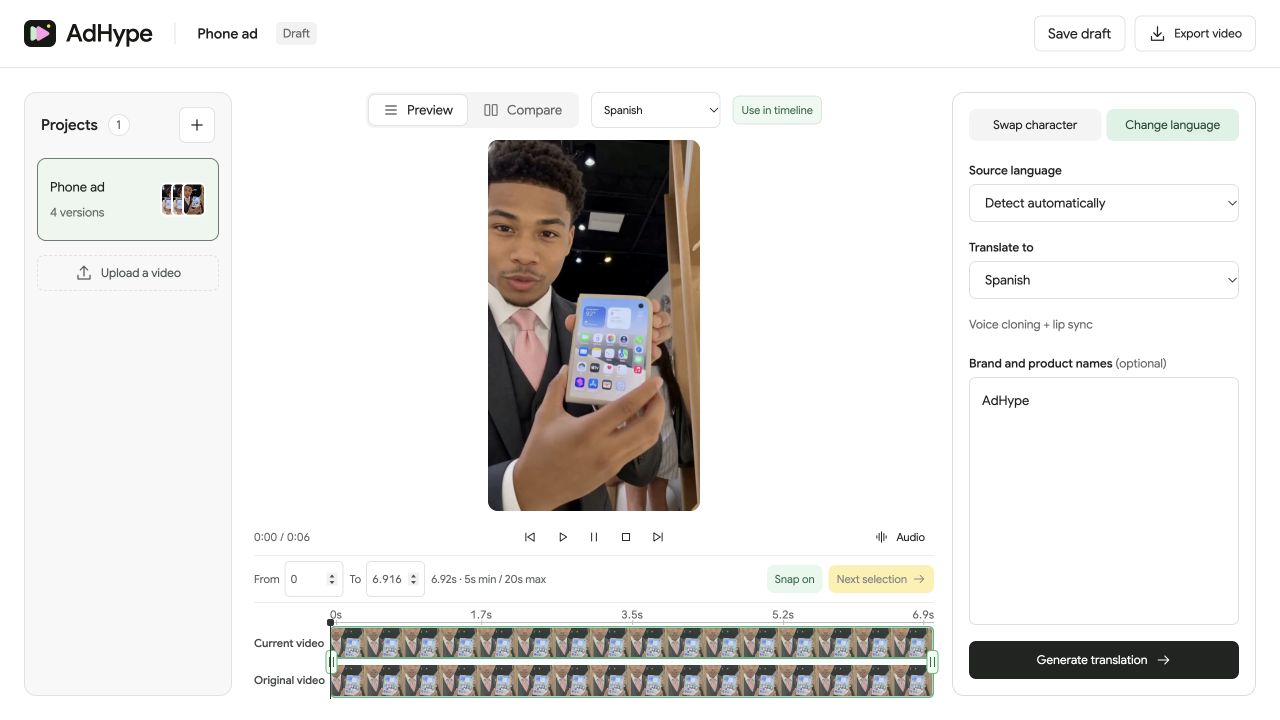
AdHype handles the speaking-video translation workflow. Add or revise subtitles in your captioning or publishing process when needed. Watch the final ad both muted and with audio before approving the asset.
Before you export
- The message is understandable in the intended listening conditions.
- Captions do not cover the product or key interface areas.
- The translation has been reviewed for meaning and timing.
Does AdHype add a subtitle track in this workflow?
No. Change language creates a dubbed video with translated speech and lip sync. Create subtitles in a separate captioning or publishing tool when your ad needs them.
Read the walkthrough notes
Dubbing and subtitles solve different viewing problems. Dubbing changes the spoken language. Subtitles make the dialogue readable.
For sound-off ad placements, translated speech alone is not enough. Plan captions or on-screen copy in your publishing workflow.
For a speaking presenter, review the voice and lip movement together. The translation should preserve the message and fit the timing.
Check the final ad both muted and with sound. Use dubbing, subtitles, or both according to the way people will actually watch it.